Texting is full of abbreviations, and one of the terms that can confuse people is IMSG. If you have ever seen someone type “I’ll IMSG you later” or “Send it on IMSG,” you might have wondered exactly what it means.
Understanding these abbreviations is essential for clear communication, especially with the growing use of messaging apps across devices.
In short, IMSG refers to iMessage, Apple’s internet-based messaging service. However, its meaning and usage go beyond a simple definition.
This guide explains what IMSG is, how it works, how it differs from regular text messaging, and the common issues users face. It also explores variations of the term on Instagram, Snapchat, and other contexts.
Simple Meaning of IMSG
The term IMSG is an abbreviation of iMessage, and it is primarily used in casual texting among Apple device users. People often use it when referring to sending or receiving messages through Apple’s messaging system.
Quick Examples of Usage:
- “I’ll IMSG you the details.”
- “Did you get my IMSG?”
- “Send it on IMSG, not SMS.”
In these cases, IMSG indicates the platform used rather than standard SMS. The abbreviation has become common because it is quick to type and universally recognized among Apple users.
How IMSG Works
iMessage is Apple’s proprietary messaging platform that allows messages to be sent over Wi-Fi or mobile data instead of the traditional cellular network. This distinction provides a variety of benefits and features that SMS cannot match.
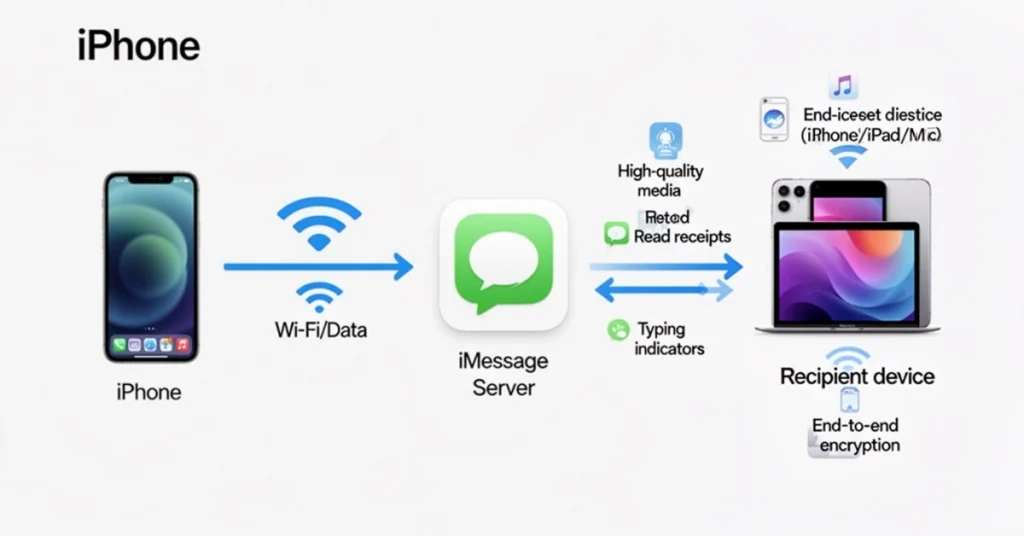
Supported Devices Include:
- iPhone – primary device for iMessage
- iPad – allows continuation of conversations on tablets
- Mac – desktop integration for seamless messaging
Key Features of IMSG:
- High-quality photo and video sharing
- Voice notes and media attachments
- Read receipts to confirm delivery
- Typing indicators to show when someone is responding
- End-to-end encryption for privacy
- Cross-device syncing across all Apple devices
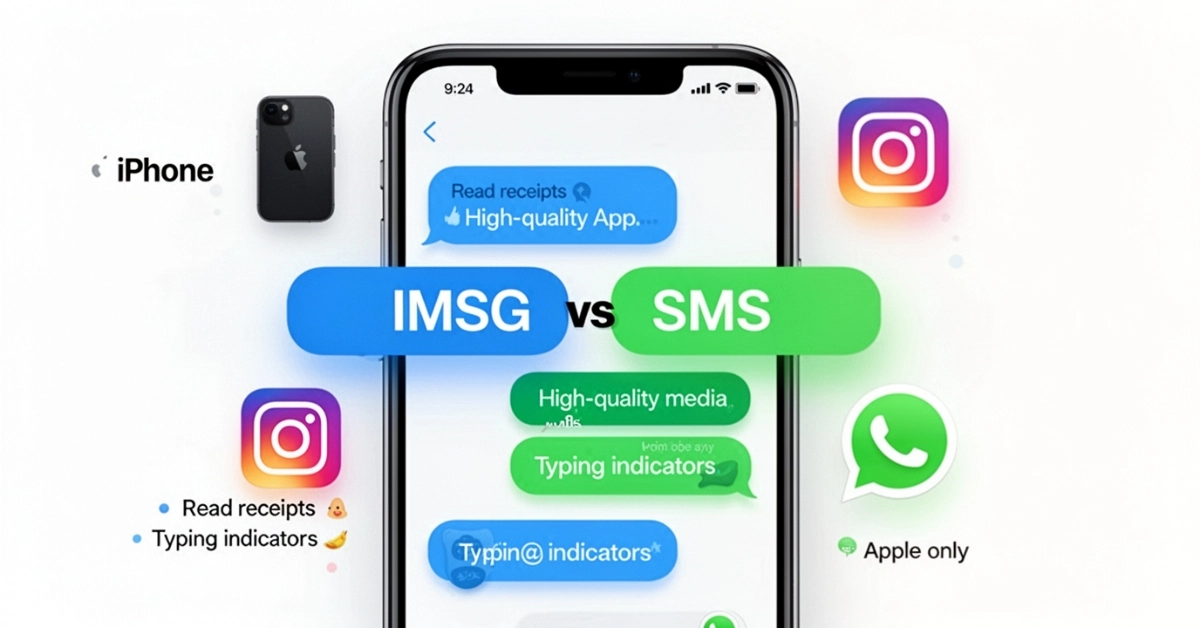
IMSG messages appear as blue bubbles, whereas messages sent as standard SMS appear as green bubbles. This visual distinction helps users identify the platform being used.
IMSG vs SMS: Understanding the Difference
| Feature | IMSG (iMessage) | SMS (Regular Text) |
|---|---|---|
| Platform | Apple devices only | Works on all phones |
| Network | Internet (Wi-Fi or mobile data) | Cellular network |
| Media Support | High-quality photos, videos, GIFs | Limited media quality |
| Delivery Features | Read receipts, typing indicators | None |
| Bubble Color | Blue | Green |
| Device Sync | Syncs across iPhone, iPad, Mac | Usually single device |
This table shows that IMSG offers more functionality, better media quality, and cross-device convenience than SMS, making it the preferred choice for Apple users.
Common Contexts for IMSG Use
People use IMSG in texting for several reasons:
- To indicate that a message is being sent via iMessage, not SMS
- To ensure media files maintain quality
- To highlight that messages are secure and private
- To clarify platform in mixed-device conversations
Examples in Real-Life Texting:
- “I’ll IMSG you the address so it’s easier to track.”
- “Can you IMSG me the screenshot?”
- “Don’t SMS ,the IMSG is for better quality.”
The usage is simple yet effective in modern texting culture, where multiple platforms and devices coexist.
Variations of IMSG Across Platforms
IMSG is primarily associated with Apple devices, but the abbreviation sometimes appears in other contexts.
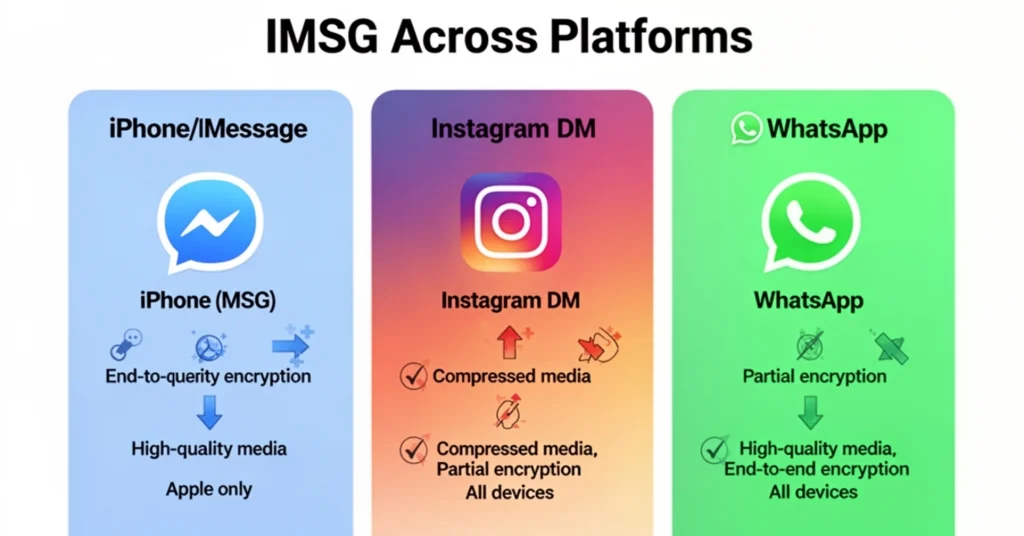
- Instagram & Snapchat: Users occasionally say “IMSG me” to request a private message, but the meaning still aligns with sending a digital message rather than standard SMS.
- Gendered Texts: There is no difference between usage from a girl or a guy; the term simply refers to the messaging platform.
- iPhone Contexts: Often, “IMSG” is used to emphasize iMessage features exclusive to Apple devices.
While the abbreviation can appear in different apps, the main meaning remains consistent: it refers to sending messages through Apple’s internet-based system.
Common Problems and Troubleshooting IMSG
Even though iMessage is widely used, users may encounter problems. Understanding common issues helps maintain smooth communication.
1. Messages Not Sending:
- Weak or no internet connection
- Recipient not using an Apple device
- Temporary Apple server outages
2. Green Bubbles:
- Occur when a message is sent as SMS
- Caused by recipient’s device settings or internet issues
3. Activation Issues:
- Sometimes new Apple devices fail to activate iMessage
- Fixes include signing out and back into Apple ID, checking network connectivity, and restarting the device
4. Syncing Across Devices:
- iMessages may fail to appear on all devices if Apple ID is inconsistent
- Correct settings in “Send & Receive” ensure proper synchronization
By troubleshooting these issues, users can ensure that IMSG maintains its advantages over SMS.
Why People Specify IMSG in Texts
First, people specify IMSG to make texting more precise. This clarification is especially helpful when talking to mixed-device users. Additionally, it highlights the features exclusive to Apple’s messaging system.
Top Reasons People Use IMSG in Texts:
| Reason | Explanation | Benefit |
|---|---|---|
| Clarify platform | Indicates Apple’s iMessage instead of SMS | Prevents confusion |
| Maintain media quality | Photos and videos are shared at full resolution | Better viewing experience |
| Security | Ensures end-to-end encryption | Protects private conversations |
| Cross-device syncing | Works across iPhone, iPad, Mac | Conversation continuity |
| Quick shorthand | Abbreviates “iMessage” to IMSG | Saves typing time |
As a result, specifying IMSG improves communication, clarity, and efficiency.
Advantages of Using IMSG Over Regular SMS
IMSG offers many benefits compared to SMS, making it the top choice for Apple users. Moreover, these features enhance both convenience and security.
IMSG Advantages:
- ✅ High-resolution media sharing
- ✅ Read receipts for message confirmation
- ✅ Typing indicators for real-time interaction
- ✅ Cross-device syncing for conversation continuity
- ✅ End-to-end encryption for privacy
- ✅ Reduced dependence on SMS plan
Limitations of IMSG
Although IMSG is popular, it comes with some limitations. First, it only works on Apple devices. Next, it may consume mobile data, which can be expensive for some users. Finally, poor connectivity can cause delays or force messages to revert to SMS.
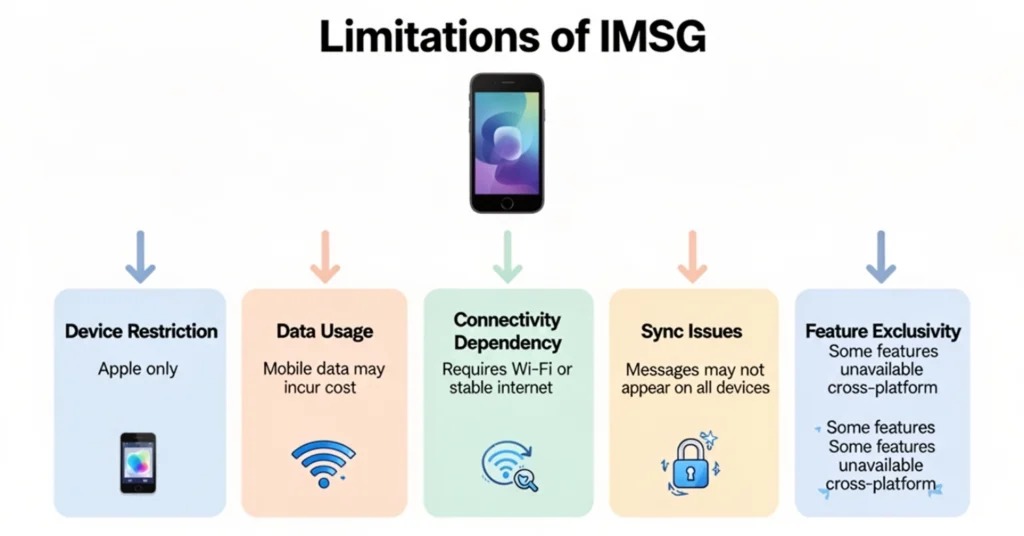
IMSG Limitations at a Glance:
- Device restriction: Only Apple devices
- Data usage: Mobile data may incur costs
- Connectivity dependency: Requires Wi-Fi or stable internet
- Sync issues: Messages may not appear on all devices if Apple ID is inconsistent
- Feature exclusivity: Some features unavailable with cross-platform messaging
Understanding these limits helps users choose wisely between IMSG, SMS, or other platforms.
How IMSG Has Changed Modern Communication
Next, IMSG has transformed texting habits significantly. First, it has raised expectations for instant messaging speed. Additionally, it has made conversations more interactive through reactions and media sharing. Finally, it has popularized shorthand abbreviations like IMSG itself.
Effects of IMSG on Communication:
- Instant updates: Messages delivered instantly with read receipts
- Interactive texting: Tapbacks, emojis, and typing indicators
- High-quality media: Photos, videos, and GIFs shared without compression
- Shorthand culture: Abbreviations like IMSG, DM, and SMS increase texting efficiency
- Cross-device accessibility: Continue conversations seamlessly across Apple devices
IMSG has changed how we communicate. It makes messaging faster, richer, and more engaging.
IMSG and Social Media Messaging Platforms
Finally, IMSG intersects with social media messaging in several ways. Its main meaning is linked to Apple’s ecosystem. However, users also mention it on platforms like Instagram or Snapchat. Additionally, comparing IMSG with cross-platform apps highlights differences in quality and security.
Social Media Messaging Comparison:
| Platform | Media Quality | Read Receipts | Typing Indicator | Device Restriction | Security |
|---|---|---|---|---|---|
| IMSG | High | Yes | Yes | Apple only | End-to-end encryption |
| Instagram DM | Compressed | Yes | Yes | All devices | Partial end-to-end encryption |
| High | Yes | Yes | All devices | End-to-end encryption |
Seeing how IMSG is talked about on social media helps users. It makes using messaging platforms easier.
Frequently Asked Questions About IMSG
Q1: What does IMSG mean in text messages? A1: It is shorthand for iMessage, Apple’s internet-based messaging platform.
Q2: Does IMSG cost money? A2: No, IMSG uses Wi-Fi or mobile data, so it does not count as SMS. Using mobile data may incur carrier charges.
Q3: Can Android users use IMSG? A3: No. Android devices cannot use iMessage. Messages sent to Android users automatically become SMS.
Q4: Why are my messages green instead of blue? A4: Green bubbles indicate that messages are sent as SMS, usually due to lack of internet or non-Apple recipient.
Q5: Can you send IMSG without Wi-Fi? A5: Yes, mobile data works, but Wi-Fi is preferred for higher-quality media and stability.
CONCLUSION:
Understanding IMSG is essential for modern texting. It’s not just an abbreviation. It shows Apple’s ecosystem, smart messaging features, and efficient texting. IMSG keeps messages high-quality, secure, and synced across devices. It works for casual chats and media-rich messages.
Using iPhone, iPad, or Mac? Knowing how to use iMessage helps you communicate better. It reduces confusion and improves your texting experience.
Now, users can easily understand phrases like “I’ll IMSG you later” or “Send it on IMSG.” They’ll know which platform and features are being mentioned.
Click Here To Read About : what does ambulatory mean

Hi, I’m Geoffrey Chaucer. I explore the stories and meanings behind words, turning ideas into clear, insightful writing. Through every article I craft, I aim to spark curiosity, share knowledge, and help readers uncover practical, meaningful truths in everyday life.