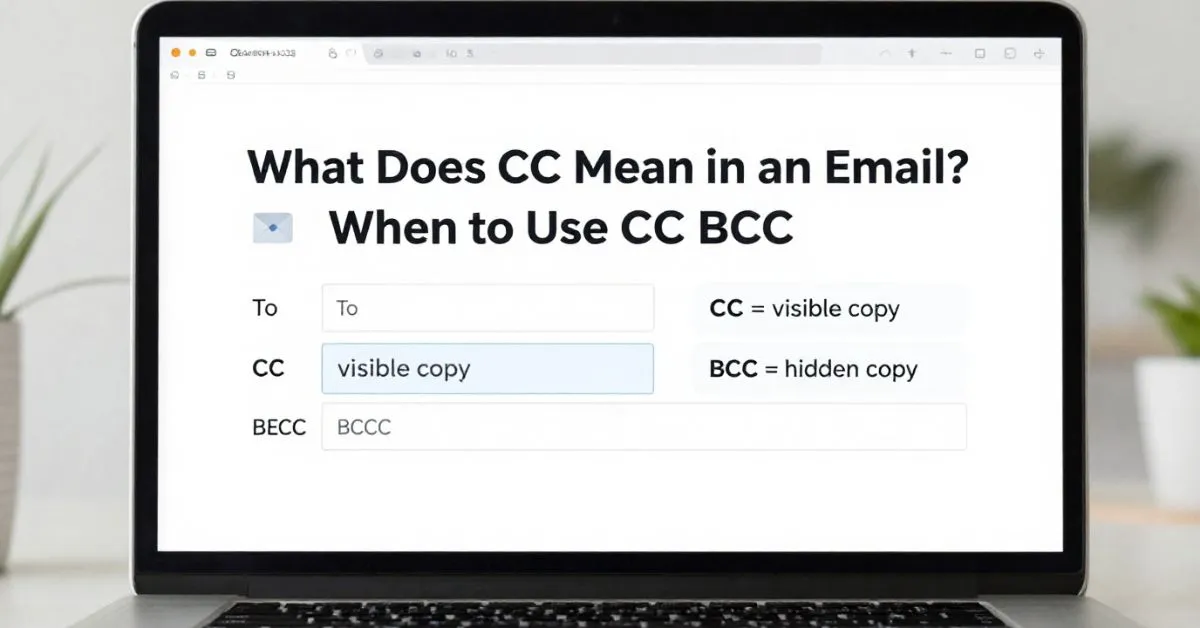
CC in an email means “carbon copy.” It lets you send the same email to extra people who should see the message but are not the main recipients.
In most cases, everyone on the email can see who is listed in the CC field, which is why CC is used for visibility, not privacy.
If you have ever wondered whether CC is public, whether CC recipients should reply, or when to use CC instead of BCC, this guide explains it clearly.
Quick answer at a glance
- CC = carbon copy
- Use CC to keep someone informed
- People in To and CC can usually see each other
- CC does not automatically mean the person must reply
- Use BCC when you want to hide recipients
What does CC mean in an email?
CC stands for carbon copy.
The phrase comes from the old paper-copying method where carbon paper made duplicate copies of a document. In email, the meaning is similar: you are sending a copy of the same message to another person.
In modern email use, CC usually means:
- this person should see the message
- this person is not the main person being addressed
- this person is included for awareness, transparency, or recordkeeping
So if you send an email to a coworker and CC your manager, the coworker is still the main recipient. Your manager is being kept in the loop.
What happens when you CC someone?
This is one of the most useful things to understand.
When you CC someone:
- They receive a copy of the email
- Other visible recipients can usually see that they were copied
- They may receive future replies if people use Reply All
- They are usually included for awareness, not primary action
That last point matters. Being CC’d often means, “You should know about this,” not, “You must handle this.”
Simple example
To: Alex
CC: Maria
Message: “Hi Alex, can you send the final invoice today? I’ve copied Maria for visibility.”
In this case:
- Alex is the main person expected to act
- Maria is there to stay informed
Who can see CC in an email?
In most email platforms, everyone on the message can see who is listed in CC.
That usually includes:
- people in the To field
- people in the CC field
- people reading the email thread later
This is why CC is not private.
If you need privacy, such as when emailing many people who should not see each other’s email addresses, BCC is the better option.
What is the difference between To, CC, and BCC?
A lot of email confusion disappears once you understand the role of each field.
| Field | Meaning | Who it is for | Can others see them? | Best use |
|---|---|---|---|---|
| To | Main recipient | People you are directly addressing | Yes | Main person expected to read, answer, or act |
| CC | Carbon copy | People who should stay informed | Yes | Visibility, awareness, shared context |
| BCC | Blind carbon copy | Hidden recipients | No | Privacy, large email lists, discreet copies |
The easiest way to remember it
- To = I’m speaking to you
- CC = I want you to see this
- BCC = I want you to get this privately
CC vs BCC: the difference that matters most
The biggest difference is visibility.
With CC, other recipients can usually see who was copied.
With BCC, recipients are hidden from everyone else.
Use CC when:
- openness is fine
- people should know who is included
- you want transparent communication
Use BCC when:
- privacy matters
- recipients should not see each other’s addresses
- you are sending a message to a large list
- you want to keep someone informed without showing their name to others
Example of CC
You email a client and CC your team lead so the client knows your lead is aware of the discussion.
Example of BCC
You send an announcement to 50 people and do not want everyone seeing each other’s email addresses.
When should you use CC in an email?
Use CC when it adds clarity, awareness, or proper visibility.
Common situations where CC makes sense
1. Keeping a manager or team lead informed
If someone needs awareness but does not need to lead the conversation, CC works well.
Example:
You ask a designer for a revision and CC the project manager.
2. Including a coworker who is involved in the project
If another person is connected to the work, CC can help everyone stay aligned.
Example:
You email the client and CC the account coordinator.
3. Creating a communication record
CC helps show that relevant people were notified.
Example:
You email a vendor about a delivery issue and CC operations.
4. Making handoffs smoother
When one team is passing work to another, CC can help preserve context.
Example:
Sales emails support about a customer setup and CCs the customer success manager.
When should you not use CC?
Knowing when not to use CC is part of good email etiquette.
Avoid CC when:
1. The person does not really need the email
Too many copied recipients make inboxes messy and reduce focus.
2. Privacy matters
If recipients should not see each other’s addresses, use BCC.
3. You are trying to pressure someone
Copying a boss or senior person just to create pressure can come across poorly.
4. It makes the email harder to follow
If many people are copied and the email becomes confusing, it may be better to send separate messages or clarify roles.
5. You are using CC instead of writing clearly
CC is not a replacement for a direct, well-written message.
Does CC mean someone has to reply?
Not usually.
In most cases, the person in To is the main person expected to respond or take action. The person in CC is often there for awareness.
That said, CC does not block someone from replying. A copied person may reply if:
- they have helpful information
- they need to correct something
- they want to stay active in the conversation
- the email specifically asks them to respond
Best practice
If you want a CC’d person to do something, say it clearly in the email.
Example:
“Hi Ahmed, please send the report by 4 PM. I’ve copied Sara in case she wants to review the final version before submission.”
That removes confusion.
Why people search this
Most people search “what does CC mean in an email” because they saw the field while writing an email or noticed someone was CC’d on a message they received. The confusion usually comes from four questions:
- What does CC actually stand for?
- Who can see CC recipients?
- When should I use CC?
- What is the difference between CC and BCC?
This article answers all four directly.
Can CC recipients see each other?
Yes, in normal email use, CC recipients can usually see one another, and people in the To field can also see them.
That is why CC is often described as the “visible copy” field.
If your goal is to include someone without making them visible to others, use BCC instead.
What happens if someone clicks Reply All?
This is an important detail many beginner articles skip.
If someone clicks Reply All, the response often goes to:
- the original sender
- people in the To field
- people in the CC field
That means copying someone can pull them into the rest of the email thread, not just the first message.
This is another reason to CC only people who truly need to be there.
Where is the CC field in Gmail or Outlook?
Most email services place CC near the recipient area of the compose window.
In Gmail
When you start a new email, the CC option usually appears to the right of the To line. Clicking it opens the CC field so you can add more recipients.
In Outlook
When composing a message, you will usually see To, CC, and sometimes BCC near the top of the message window.
The exact layout can vary slightly between desktop, mobile, and web versions, but the function is the same.
Real examples of correct CC use
These examples make the meaning easier to understand in real situations.
Example 1: Workplace follow-up
To: Operations manager
CC: Department head
Message:
“Hi, just following up on the equipment request for next week. I’ve copied the department head for visibility.”
Why it works: The operations manager is the main person being addressed. The department head is informed.
Example 2: Client communication
To: Client
CC: Account manager
Message:
“Hello, attached is the updated timeline. I’ve copied Emma, who is managing the project schedule.”
Why it works: The client knows who else is involved, and the account manager stays in the loop.
Example 3: School communication
To: Teacher
CC: Parent
Message:
“Hi, I wanted to ask about the assignment deadline. I’ve copied my parent so they are aware of the update.”
Why it works: The teacher is being addressed directly, while the parent is informed.
Example 4: Internal handoff
To: Support team
CC: Sales representative
Message:
“Hi team, the customer is ready for onboarding. I’ve copied the sales representative for context.”
Why it works: The support team takes over, and the sales representative stays aware of the next step.
Common mistakes people make with CC
Copying too many people
This is one of the most common email mistakes. It creates clutter and makes ownership less clear.
Using CC when BCC is needed
If privacy matters, CC is the wrong choice because everyone can usually see the copied recipients.
Assuming CC means action
A copied recipient may read the email and do nothing, which is often normal.
Copying senior people too early
Adding a manager or boss to a small issue can make communication feel tense or performative.
Forgetting that CC affects tone
An email often feels more formal once extra people are copied, especially in workplace situations.
Email etiquette tips for using CC well
Be intentional
Only CC people who truly need awareness.
Keep the main recipient clear
The To field should show who the email is really for.
Explain the copied person if helpful
A short line like “I’ve copied Fatima for visibility” adds clarity.
Use BCC for privacy
Never use CC when recipient visibility could create a problem.
Think before copying leadership
Copying a manager is fine when it adds value, but not when it only increases pressure.
Avoid making CC a habit
CC should be useful, not automatic.
A simple rule that helps almost every time
Use this quick rule before sending:
- Put someone in To if you are mainly talking to them
- Put someone in CC if they should be aware of the conversation
- Put someone in BCC if they should receive it privately
That one rule solves most beginner confusion.
FAQ
What does CC stand for in email?
CC stands for carbon copy. It means a copy of the email is sent to another person for awareness.
Can everyone see who is CC’d?
Yes, in most cases recipients can see the people listed in the CC field.
Is CC private?
No. CC is usually visible to others on the email. If you need privacy, use BCC.
Does CC mean someone needs to reply?
Not always. A person in CC is often included for awareness rather than action.
Should I use To or CC?
Use To for the main recipient and CC for someone who should see the message but is not the main contact.
What is the difference between CC and BCC?
CC is visible to recipients. BCC hides the recipient from others.
Is it rude to CC someone in an email?
No, not by itself. It only becomes a problem when it is unnecessary, excessive, or used to create pressure.
Can I CC multiple people?
Yes, but only include people who genuinely need the message. Too many copied recipients can make email threads harder to manage.
Final takeaway
CC in an email means carbon copy. It is used to send a visible copy of an email to someone who should stay informed but is not the main person being addressed. The key idea is visibility: people on the email can usually see who is in CC, which makes it useful for awareness and transparency, but not for privacy.
If you remember only one thing, remember this: To is for action, CC is for awareness, and BCC is for privacy.
Read Also These Posts:
What Does the Teardrop Tattoo Mean?Grief and Myths
What Does Guero Mean in Spanish? Meaning and Examples
What Does Renewable Mean? Definition and Examples

I am Clara Lexis, a writer driven by clarity, depth, and authenticity. My focus is on transforming ideas into meaningful content that is both informative and engaging. I write with intention to communicate clearly, thoughtfully, and with purpose.